


1. See what has published and what comes next
The calendar brings published articles, approved work and the next writing date into one view. This is our real Kraftwire workspace, showing October 2026. The publishing cadence and approval rules are set for each website.
Read about this part of the workflow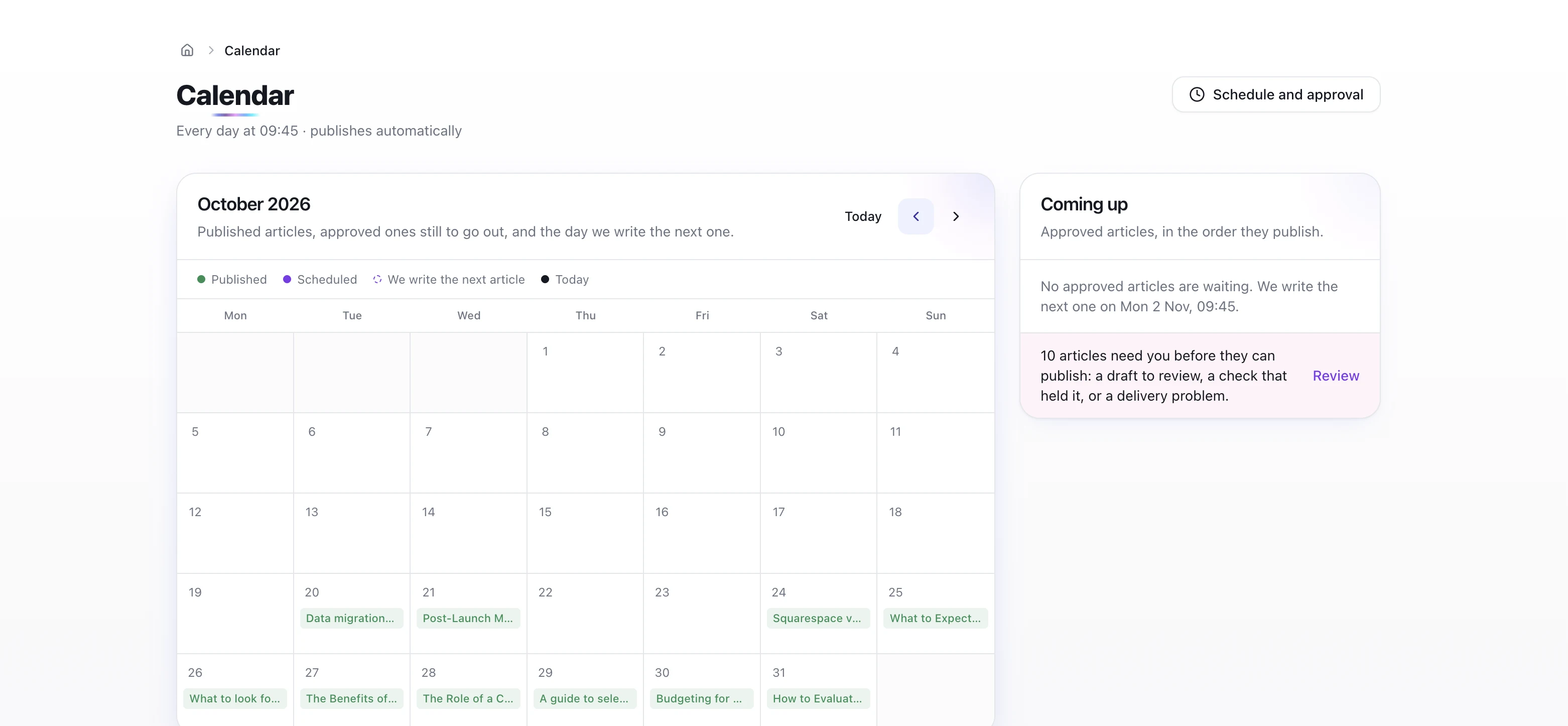
2. Review the articles that need you
This draft is held for checks. The review screen explains why and lets the owner edit the article before requesting checks again. Saving an edit does not publish it. Checks and a working destination still apply when automatic publishing is selected.
Read about this part of the workflow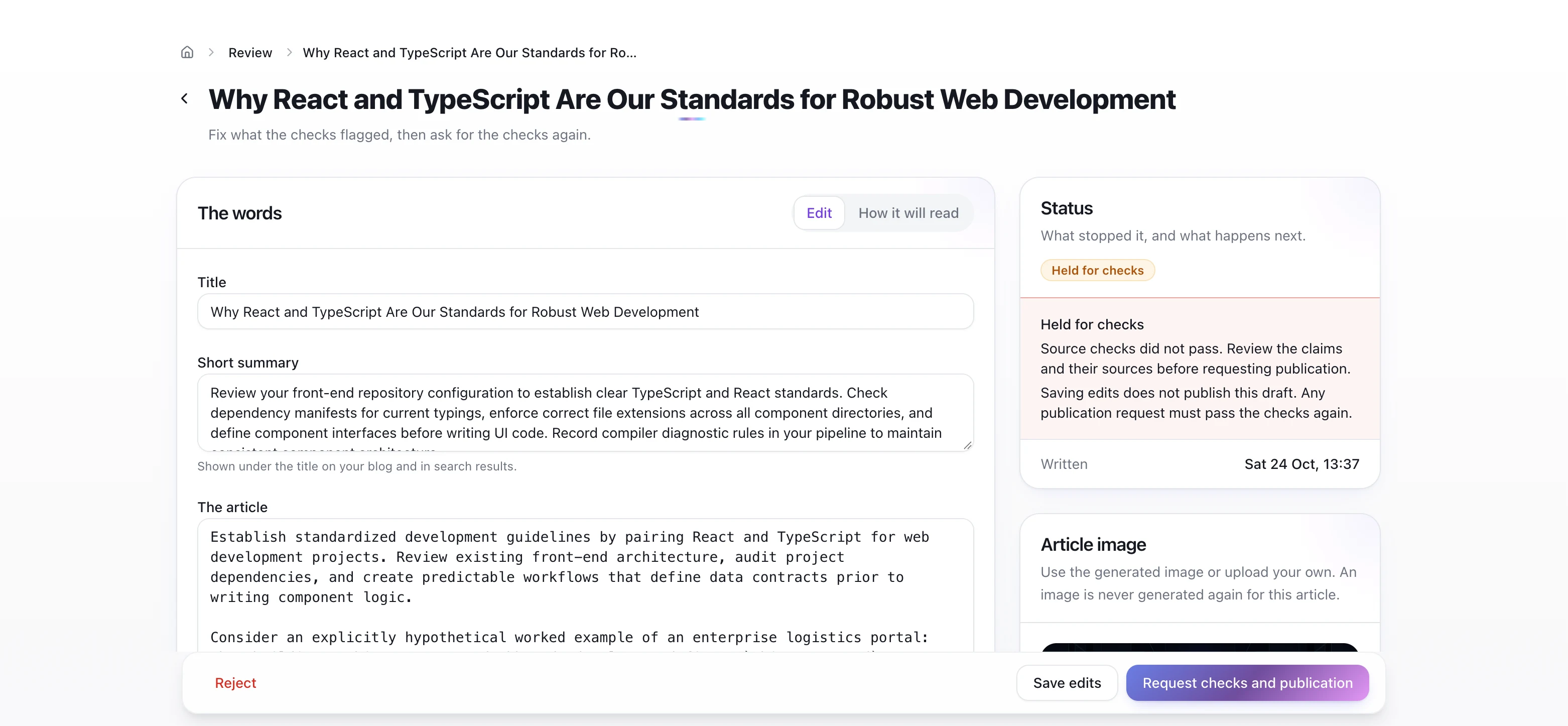
3. Inspect the published article
The published view shows the article and its destination. This example links to a real Kraftwire article published on 1 November 2026. Its words are locked in this view so the verified version is preserved; the public destination can be checked independently.
Read about this part of the workflow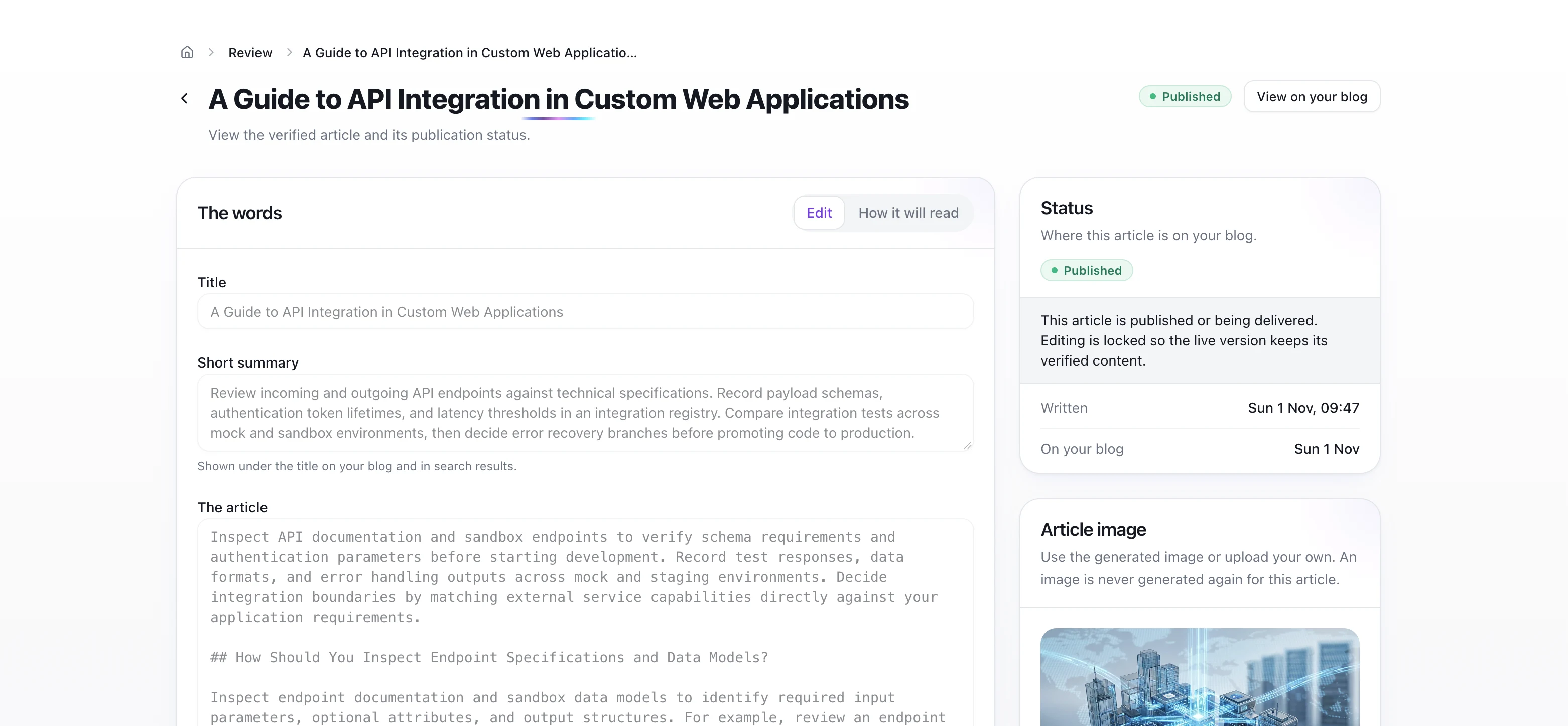
Check the destination, not just the status label
Read the live API integration article on Kraftwire. The calendar, held draft and published article are separate examples from the same real workspace; this tour does not claim that the held draft was approved or published.
Ginza and SimplyBoard use our publishing technology and provide additional examples with dated search results. Explore the case studies.
Try the workflow with your own website
Set your business facts, choose topics and confirm the publishing connection during an eligible trial.